.webp) boxgameh5.com
boxgameh5.comHow to Play BeamNG Drive Complete Beginner Guide
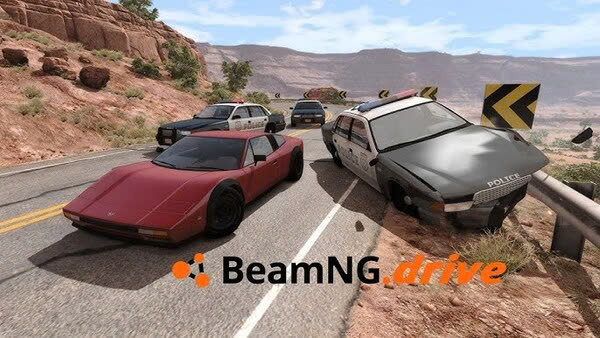
BeamNG Drive is a realistic vehicle simulation game known for its advanced soft body physics, detailed vehicle damage, open environments, and freedom to experiment with different driving situations. Unlike traditional racing games that focus mainly on finishing first, BeamNG Drive allows players to explore roads, test vehicles, complete driving challenges, practice stunts, and experience how cars respond to collisions and different road conditions. Every vehicle behaves differently depending on its weight, suspension, tires, engine power, and overall design, making the game enjoyable for both casual players and driving enthusiasts.
Learning how to play BeamNG Drive is easier when you understand its main features before attempting difficult challenges. Beginners should first learn the controls, choose a suitable vehicle, explore the available maps, and practice basic driving techniques. Once these skills become familiar, players can experiment with high speed driving, realistic crashes, off road exploration, vehicle customization, mods, and advanced scenarios. This guide explains how to progress from your first drive to more confident and creative gameplay while helping you avoid common mistakes along the way.
How to Get Started in BeamNG Drive

When you first launch BeamNG Drive, take some time to explore the main menu and understand the different ways to play. Depending on the available game version, you can access free roam, scenarios, time trials, campaigns, and other driving activities. Free roam is an excellent starting point because it allows you to explore a map without worrying about a strict objective or a countdown. You can practice steering, braking, accelerating, and reversing at your own pace while learning how the vehicle responds to your inputs. Beginners should start with a familiar road environment rather than immediately selecting a difficult rally route or a high speed challenge.
Choose a standard road car for your first driving session because ordinary vehicles are usually easier to control than powerful sports cars or specialized off road machines. Begin by driving slowly, making gentle turns, and testing the brakes before increasing your speed. Explore the camera options and find a view that makes it easy to judge distances and understand the position of your vehicle. If you make a mistake and damage the car, use the available recovery or vehicle reset options to return to driving without restarting the entire session. The goal during your first few minutes is not to achieve a perfect lap but to become comfortable with the simulation and understand how your actions affect the vehicle.
How to Master the Basic Driving Controls
Understanding the controls is essential because BeamNG Drive models vehicle movement and damage in considerable detail. Learn how to accelerate smoothly, apply the brakes, steer accurately, reverse, change camera views, and recover a damaged vehicle. If you use a keyboard, remember that steering inputs can be much sharper than those from a steering wheel or analog controller. Pressing a direction key for too long can cause the vehicle to turn too aggressively, especially at high speeds. Make small steering corrections and avoid sudden movements until you become familiar with the handling of your chosen car.
Braking deserves as much attention as acceleration because stopping distance increases with speed, road conditions, and vehicle weight. Practice slowing down before corners rather than braking suddenly while turning. You should also learn how to use the handbrake carefully, particularly when experimenting with tight turns or drifting. Different control devices can produce different driving experiences, so adjust the available sensitivity and force feedback settings to suit your setup. If you use a steering wheel, check that the steering rotation, pedals, and other inputs are configured correctly. Developing smooth control habits early will make nearly every activity in BeamNG Drive easier, from ordinary road driving to competitive time trials and challenging off road routes.
How to Choose the Best Vehicle for Your Playstyle
Choosing the right vehicle in BeamNG Drive depends on what you want to accomplish because every vehicle has different strengths and weaknesses. A compact car is a good choice for learning basic handling and navigating narrow streets, while a sports car offers greater acceleration and can be useful for high speed driving and time trials. Trucks are suitable for heavy hauling, deliveries, and challenging terrain, while off road vehicles provide additional ground clearance and traction for dirt roads, hills, and rocky environments. Beginners should experiment with several standard vehicles before moving to heavily modified configurations. Pay attention to engine power, vehicle weight, tire grip, suspension behavior, and braking performance because these characteristics influence how a car responds to different situations. A powerful vehicle is not always the best choice, especially if you cannot control it through corners or stop it safely. Try driving the same route with two different vehicles to understand how their handling differs. Once you identify your preferred driving style, choose a vehicle that supports your goals and practice with it until you understand its limits.
How to Explore Maps and Game Modes
BeamNG Drive offers several ways to enjoy the simulation, making it suitable for players who prefer relaxed exploration as well as those who enjoy structured driving challenges. Free roam is ideal for beginners because you can travel around an environment, test different vehicles, discover roads, and experiment without following a strict objective. Scenarios introduce specific tasks such as completing deliveries, escaping police pursuits, or navigating difficult driving conditions, while time trials challenge you to complete a route as quickly as possible. Campaigns provide sequences of activities with different goals and levels of difficulty. Start with a familiar map and explore its main roads before attempting narrow mountain routes or challenging off road areas. Learn where sharp corners, steep slopes, intersections, and difficult surfaces are located so you can approach them with the correct speed. If you enjoy creating your own challenges, free roam also allows you to experiment with environmental conditions and different vehicle configurations. Switching between game modes prevents the experience from becoming repetitive and helps you develop a wider range of driving skills.
How to Drive Fast Without Losing Control
High speed driving is exciting in BeamNG Drive, but it requires careful control because a small steering mistake can cause a serious crash. Before accelerating fully, make sure you understand the road layout and have enough space to slow down. Straight roads are generally more suitable for testing acceleration, while corners require you to reduce speed before turning. Entering a corner too quickly can cause understeer, where the vehicle continues moving outward instead of following the intended direction, or oversteer, where the rear of the car slides away from the desired line. Both situations become more difficult to manage when you apply sudden steering or braking inputs. Try to brake before the corner, steer smoothly through the turn, and accelerate gradually when the vehicle begins to straighten. Tire condition and vehicle setup also influence how much grip is available, so a modified sports car may behave differently from its standard configuration. Practice on familiar roads and increase your speed gradually instead of immediately attempting maximum speed runs. Learning to maintain control is more rewarding than simply reaching a high speed and losing control seconds later.
How to Understand Vehicle Damage and Crash Physics
One of the defining features of BeamNG Drive is its soft body physics system, which simulates vehicle structures and allows components to deform during collisions. Unlike games where a crash may only trigger a visual damage effect, BeamNG Drive models structural deformation in a way that can affect how the vehicle drives afterward. A collision can damage body panels, suspension components, wheels, steering systems, and other parts, potentially making the car difficult or impossible to control. This means that the location and force of an impact can matter as much as the speed at which it occurs. When experimenting with crashes, observe how different vehicles react to frontal impacts, side collisions, rollovers, and uneven landings. A heavy vehicle may behave differently from a lightweight car, while suspension design and vehicle structure can influence the final result. If your car begins pulling to one side after a collision, the steering or suspension may have been damaged. Use the recovery and repair options when you want to continue driving with an undamaged vehicle. Exploring crash physics can be entertaining, but it is also a useful way to understand the detailed simulation that makes BeamNG Drive distinctive.
How to Customize and Tune Your Vehicles
Vehicle customization allows you to change how your car looks, handles, and performs, giving you more control over your driving experience. Start with the vehicle configuration menu and explore the available components, which may include engines, transmissions, suspension parts, wheels, tires, brakes, and body modifications. Beginners should change only a few components at a time because adjusting too many settings simultaneously makes it difficult to understand which change produced a particular result. For example, installing a more powerful engine can improve acceleration, but it may also make the vehicle harder to control. Suspension changes can improve stability in certain situations while making the car less comfortable or predictable on other surfaces. Tire selection is especially important because road tires and off road tires are designed for different conditions. After modifying a vehicle, test it on a familiar route and compare its behavior with the original configuration. If a change makes the car unstable, return to the previous setup and adjust another component. Save configurations that work well so you can reuse them for future sessions. With practice, tuning becomes a rewarding part of the game because you can build vehicles for racing, drifting, heavy hauling, off road driving, or unusual experiments.
How to Master Off Road Driving and Difficult Terrain

Off road driving introduces challenges that do not appear on smooth paved roads, including loose surfaces, steep slopes, uneven ground, mud, and obstacles that can damage the underside of your vehicle. The first step is choosing an appropriate vehicle because ground clearance, tire grip, suspension travel, and drivetrain configuration all influence performance. A low sports car may struggle on rocky paths, while an off road vehicle can travel across uneven terrain more comfortably. When approaching a steep hill, maintain steady momentum instead of accelerating aggressively at the last moment. Sudden throttle inputs can cause wheelspin and reduce traction, especially on loose surfaces. On descents, reduce speed and make gentle steering adjustments because excessive speed can make it difficult to avoid obstacles. Pay attention to the angle of the vehicle and avoid crossing steep slopes carelessly, as doing so may increase the risk of rolling over. If your vehicle becomes stuck, try reversing carefully or selecting another route instead of repeatedly accelerating without progress. Experiment with different tire types and suspension configurations to discover which combinations work best. Off road driving rewards patience and preparation, making it an excellent way to improve your understanding of vehicle physics.
How to Use Mods and Create Your Own Challenges
Mods expand BeamNG Drive by adding community created vehicles, maps, configurations, scenarios, and other gameplay possibilities. They allow players to explore environments and driving experiences beyond the standard content, making the game more flexible over time. Beginners should start with a small number of trusted mods from the official in game repository or other reputable community sources. Read descriptions carefully, check compatibility with your game version, and avoid installing files from unknown websites. Installing too many modifications at once can make it harder to identify the cause of crashes, performance problems, or missing content. Once you understand the basics, experiment with different vehicle types and maps that match your interests. You might create a delivery challenge, build a custom race route, test unusual vehicle combinations, or explore a large environment with several different cars. The World Editor also provides tools for players who want to create and modify their own scenarios and environments. Another option is to design a vehicle in Automation and export it to BeamNG Drive if you own the relevant game and use its supported workflow. Custom content can transform a simple driving session into a completely different experience, so experiment gradually and keep your favorite configurations organized.
How to Improve Performance and Fix Common Problems
BeamNG Drive simulates detailed vehicle physics, so performance depends on your computer hardware, graphics settings, map complexity, and the number of vehicles active at the same time. If the game runs slowly, begin by lowering demanding graphics options and reducing the number of additional vehicles in the environment. Large maps, heavy traffic, and multiple detailed cars can place additional demands on your system. Make sure your graphics drivers are updated and close unnecessary applications if your computer is struggling to maintain a stable frame rate. A stable frame rate matters because inconsistent performance can make driving feel less responsive and interfere with your ability to judge speed. If you experience crashes or unusual vehicle behavior after installing mods, test the game without those modifications to determine whether they are responsible. The official Safe Mode option can help identify whether user content or configuration changes are causing problems, while clearing the game cache may help with certain technical issues. You should also check your controls if steering feels too sensitive or the vehicle does not respond as expected. Make adjustments gradually, test the results, and avoid changing multiple unrelated settings at once. A stable setup makes it easier to concentrate on driving rather than troubleshooting.
How to Become a Better BeamNG Drive Player
Becoming a better BeamNG Drive player requires regular practice, experimentation, and an understanding of why vehicles behave differently in different situations. Instead of focusing entirely on crashes or maximum speed, create small goals that help you develop specific skills. You could practice completing a route without collisions, improve your time on a familiar circuit, deliver cargo without damaging the vehicle, or navigate a difficult off road trail without getting stuck. After each attempt, consider what went wrong and identify one adjustment that might improve the result. If you repeatedly lose control in corners, practice braking earlier and steering more smoothly. If your vehicle struggles on hills, investigate its tires, drivetrain, and approach speed. If a customized car behaves unpredictably, compare it with the original version and adjust its components one at a time. You should also experiment with different camera views because cockpit, chase, and other perspectives provide different advantages when judging distance and vehicle position. As your confidence grows, combine these skills by using modified vehicles in demanding scenarios or creating your own driving challenges. The most enjoyable approach is to balance structured practice with free experimentation, allowing you to improve while discovering new ways to use the simulation.
Conclusion
Learning how to play BeamNG Drive begins with mastering basic controls, choosing a suitable vehicle, and understanding how different game modes work. From there, players can develop better driving techniques, explore large environments, complete scenarios, experiment with vehicle damage, customize their cars, and tackle difficult off road routes. The game's detailed soft body physics makes every driving decision meaningful because vehicle weight, suspension, tire grip, speed, and collision forces can all influence the outcome. Rather than treating every session as a race, beginners should use the freedom of the simulation to practice and explore at their own pace.
As your experience grows, try building custom vehicle configurations, testing different driving styles, installing trusted mods, and creating challenges that match your interests. If you encounter problems, adjust your settings carefully and use troubleshooting tools to identify the cause instead of changing everything at once. Most importantly, remember that BeamNG Drive does not require a single approach to be enjoyable. You can focus on realistic driving, competitive time trials, vehicle engineering, off road exploration, or creative crash experiments. With patience and regular practice, you will develop better control, understand vehicle behavior more clearly, and discover just how much the game allows you to do.
Summary
Learn BeamNG Drive with this beginner guide covering controls, vehicles, maps, driving techniques, crash physics, tuning, off road challenges, mods, and performance tips.