.webp)






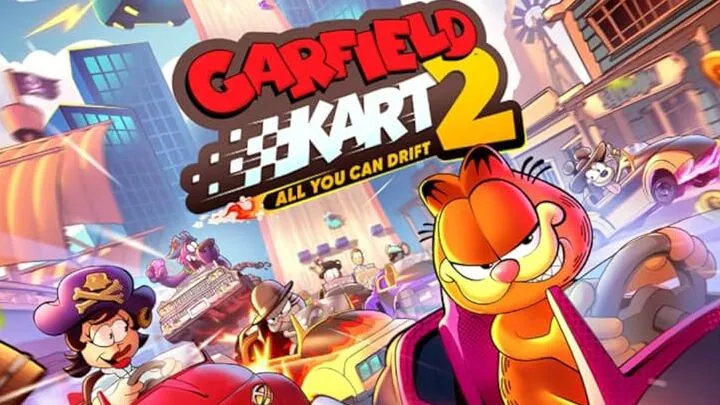
Garfield Kart 2 - All You Can Drift brings the lasagna-loving cat back behind the wheel with a drift-focused overhaul that distinguishes it sharply from its more basic predecessor. Where the original Garfield Kart played as a straightforward, accessible racer, this sequel leans heavily into drift mechanics, boost chaining, and character-specific handling quirks that reward players who actually study the systems rather than simply mashing the accelerator. This guide walks through everything you need to know, in the order you'll encounter it, from your first lap around Jon's neighborhood to climbing online leaderboards with optimized drift chains.
Understanding the Core Drift System Before Your First Race
The foundation of Garfield Kart 2 is its drift mechanic, and unlike many kart racers where drifting is a minor optional technique, here it's the primary method of generating speed boosts. Holding the drift button while steering through a turn causes your kart to slide, and maintaining that slide at the correct angle fills a boost meter that releases extra speed once you straighten out.
New players often make the mistake of drifting too cautiously, holding a shallow angle that barely fills the meter, or too aggressively, oversteering into a slide that costs more time than it saves. The sweet spot is a moderate slide angle held consistently through the apex of the turn, which the game indicates through a subtle particle effect change beneath your kart when you're in the optimal drift zone.
Basic Drift Inputs
- Tap the drift trigger and steer into the turn simultaneously to initiate.
- Hold a consistent angle rather than constantly adjusting steering mid-drift.
- Release the drift trigger as your kart straightens to claim the boost.
Choosing the Right Character for Your Playstyle Early On
Before your first online race, spend time in the practice mode testing different characters, since Garfield Kart 2 assigns distinct handling profiles rather than purely cosmetic differences. Garfield himself handles as a balanced all-rounder, suitable for learning the drift system without fighting unpredictable handling. Nermal and Arlene, by contrast, offer lighter karts with sharper turning but less stability during long drift chains.
Odie sits at the opposite end of the spectrum, offering a heavier kart with higher top speed but a wider drift radius that punishes imprecise turns harshly. Choosing a character that matches your comfort level early prevents you from blaming the controls for mistakes that are actually rooted in a mismatched handling profile.
Character Handling Categories
- Balanced: Garfield — forgiving drift radius, ideal for learning.
- Light/Agile: Nermal, Arlene — sharp turns, less drift stability.
- Heavy/Fast: Odie — high top speed, wide and demanding drift radius.
Learning the First Few Tracks Without Items Turned On
Once you've picked a character, the smartest early step is racing the first set of tracks with items disabled in custom race settings, if your version of the game allows it, so you can focus purely on learning racing lines and drift zones without getting knocked off course. This isolates the skill of drifting from the chaos of item combat, which is exactly what beginners need before adding more variables.
Run each early track several times in a row, paying attention to where the optimal drift zones begin and end relative to track markers, curbs, or background scenery. Memorizing these reference points by sight, rather than relying purely on reaction time, is what separates players who consistently chain boosts from those who only catch a drift boost occasionally by luck.
How to Chain Drift Boosts Across Multiple Turns
Once single-turn drifting feels comfortable, the next skill to build is chaining boosts across consecutive corners, which is where Garfield Kart 2's scoring system rewards skilled players most heavily. The technique involves releasing one drift boost at the exact moment you begin steering into the next turn, carrying speed momentum directly into the second slide rather than letting your kart fully stabilize first.
This chaining technique requires precise timing, and the easiest way to practice it is on tracks with S-curves or chicanes, since these layouts naturally place two opposite-direction turns close together. Successfully chaining two or three boosts in a row on these sections produces a noticeably higher top speed than drifting each turn in isolation.
Common Chaining Mistakes
- Releasing the drift trigger too early, before the boost meter fully charges.
- Fully straightening the kart between turns instead of carrying drift momentum forward.
- Over-steering into the second turn, which resets the drift angle instead of extending it.
How to Use Items Strategically Once Combat Is Enabled
With drifting under control, the next layer of skill involves item management once you turn combat back on for standard races. Garfield Kart 2's item pool is positioned similarly to other kart racers, where trailing racers receive more disruptive items while leading racers receive more defensive or speed-oriented ones. Understanding which items you're likely to receive based on your current position helps you plan several seconds ahead rather than reacting purely on instinct.
A particularly important habit is holding defensive items, such as shields or smoke-based deterrents, rather than using them immediately upon pickup. Saving a defensive item for a known high-traffic zone, like a narrow bridge or tight chicane where other racers are likely to throw offensive items, prevents far more lost time than using it reactively the moment you receive it.
Item Usage Priorities by Race Position
- Leading the pack: Hold defensive items, use minor speed items only on straightaways.
- Mid-pack: Balance offense and defense depending on nearby racers' positions.
- Trailing: Prioritize offensive items to disrupt the leader, save speed boosts for the final stretch.
How to Read and Exploit Track-Specific Shortcuts
As you become familiar with the base tracks, start paying attention to shortcut opportunities that aren't obviously signposted. Many tracks in Garfield Kart 2 hide small time-saving paths behind scenery elements, such as a narrow gap beside a fence or a grass patch that's actually drivable despite appearing decorative.
Finding these shortcuts requires deliberate exploration during practice sessions rather than waiting to stumble upon them mid-race. A useful method is to drive slowly along the track edges in an empty practice run, testing whether seemingly solid boundaries are actually passable, since the game's collision design is occasionally more forgiving than the visual track edges suggest.
<h3>Where Shortcuts Commonly Hide</h3> <ul> <li>Behind decorative fences or hedges bordering the main track.</li> <li>Through narrow alleyways visible in background scenery near town-themed tracks.</li> <li>Across shallow water or grass patches that look impassable but aren't.</li> </ul>
How to Optimize Your Kart Customization for Each Track Type
Once you've unlocked multiple kart parts, customization becomes a meaningful part of your strategy rather than a purely cosmetic choice. Garfield Kart 2 allows you to adjust components affecting acceleration, top speed, drift stability, and handling weight, and matching these stats to a track's layout meaningfully changes your lap times.
For tracks dominated by long straightaways, prioritize top speed components even if it slightly reduces acceleration, since you'll spend more time at maximum velocity than recovering from corners. For tight, winding tracks, prioritize drift stability and acceleration instead, since frequent direction changes punish heavy, slow-accelerating setups far more than they reward raw top speed.
Customization Priorities by Track Type
- Open straightaway tracks: Top speed and acceleration over drift stability.
- Tight, winding tracks: Drift stability and acceleration over raw top speed.
- Mixed layout tracks: A balanced setup, adjusted slightly based on which segment is longer.
How to Approach Time Trial Mode for Personal Best Records
Time Trial mode strips away items and opponents entirely, making it the ideal space to refine the precise techniques covered above without external interference. The correct approach here is to focus on one specific track segment at a time rather than attempting a full clean lap immediately, since isolating a single difficult corner and repeating it dozens of times builds muscle memory faster than full-lap repetition.
Once individual segments feel consistent, stitch them together into full laps, paying close attention to your ghost replay data if the mode includes it. Comparing your line against a ghost of your own best lap reveals exactly where you're losing fractions of a second, whether through a missed drift chain or a slightly wide turning radius.
How to Compete Effectively in Online Multiplayer Races
Online races introduce human unpredictability that practice mode and time trials don't fully prepare you for. The most important adjustment when moving to online play is reserving defensive items more conservatively than you might in single-player races against AI, since human opponents are far more likely to target the current leader with offensive items at the worst possible moment.
Additionally, pay attention to common drift lines used by skilled opponents during the race's early laps, since experienced online players often reveal optimized racing lines you haven't discovered yourself. Adjusting your own line based on what's working for top-placed racers in real time is a legitimate and effective way to improve mid-race rather than waiting until after the match to review replays.
Online-Specific Adjustments
- Hold defensive items longer than you would against AI opponents.
- Watch top-placed racers' drift lines for unfamiliar shortcuts or optimal angles.
- Avoid predictable item usage patterns that opponents can anticipate and counter.
How to Progress Toward Mastering Every Character and Track Combination
The final stage of genuine mastery in Garfield Kart 2 involves deliberately practicing character and track combinations you'd normally avoid. Many players settle into a single favorite character and a handful of comfortable tracks, but this creates blind spots that become obvious the moment matchmaking forces a different combination during ranked or tournament play.
Set aside dedicated practice sessions specifically for your weakest character-track pairings, applying every technique covered in this guide, drift chaining, shortcut usage, customization tuning, to combinations that initially feel awkward. This deliberate practice approach closes skill gaps far faster than simply playing more races with characters and tracks you already enjoy.
Garfield Kart 2 - All You Can Drift rewards players who treat its drift system as a skill to be deliberately studied rather than an incidental mechanic to stumble through. From dialing in your control settings and picking a compatible character, through mastering boost chains and shortcut exploitation, to fine-tuning kart customization and adapting to unpredictable online opponents, each stage builds directly on the last. Players willing to isolate and practice these individual skills, rather than simply racing repeatedly without focused intent, will find their lap times and online standings improving far more consistently than those relying on instinct alone.
Summary: A complete tips and guides handbook for Garfield Kart 2, covering drifting, characters, shortcuts, customization, and online racing.